Showing posts with label Multimedia. Show all posts

Aiseesoft Blu-Ray Converter Ultimate v6.3.86

Aiseesoft Blu-Ray Converter Ultimate v6.3.86 | 110 MB

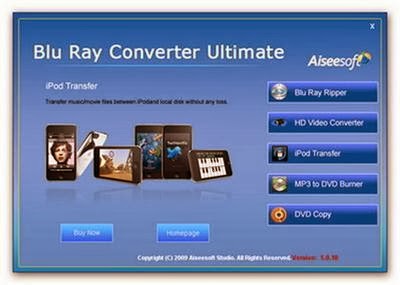
Aiseesoft Blu Ray Converter Ultimate is the great all-in-one Blu Ray Converter software bundled of Blu-ray Ripper, HD Video Converter, iPod Transfer, MP3 to DVD Burner and DVD Copy, providing you the direct solution to convert Blu-ray disk and common DVD to video/audio in any formats. You can convert any video/HD video to any other formats for you to enjoy on any mobile devices. Create iPod/iPhone files/iPhone ringtone from DVD/video and transfer between computer and devices. Burn music DVD from all your audio files. Copy DVD to DVD disk, DVD Folder, ISO files and create DVD from them.

Amazing editing functions are associated with this powerful Blu Ray Converter Ultimate software. Clip video files and DVD chapters. Crop the aspect ratio and adjust the output effect. Merge multiple files and capture pictures from DVD/video files. Fast working speed and friendly user-interface can assist you to full enjoy the digital life.

Key Functions :

Convert Blu ray disk and common DVD
With this Blu ray Converter tool, you can rip DVD and Blu ray disk to any other video/audio formats like MPEG, AVI, FLV, WMV, MP3, AAC and any others.
Convert HD video and any other video formats
With the part of HD Video Converter, you can convert video and HD video like MTS, TS, M2TS files to any other formats.
Create and transfer iPod/iPhone files
With iPod Transfer, you can transfer movie, music and picture between computer and iPod/iPhone devices. Moreover, you can create iPod/iPhone video/audio files and iPhone ringtone from your DVD/video sources, then directly import to devices.
Create music CD/DVD from any audio files
Using MP3 to DVD Burner, you can burn CD or DVD from any audio files.
Copy and burn DVD
Under the help of DVD Copy, you can copy DVD, copy DVD to DVD folder, ISO files and burn DVD from local DVD folder, ISO files.

Key Features :

More editing functions to recreate output files
While you convert video or rip DVD, in the video editing interface, you can adjust output video effect, capture video clips or DVD chapter, crop video aspect ratio, capture your favorite pictures.
Create and transfer iPod/iPhone files with only one tool
Using iPod Transfer, you can create iPod/iPhone files and iPhone ringtone from DVD and source video files. Then it can be directly imported to devices automatically.
Copy DVD or burn DVD with high quality
You can create music CD/DVD, copy DVD disk or DVD folder with high quality for you to enjoy.

Home Page - http://www.aiseesoft.com/blu-ray-converter-ultimate.html


Folder Protect 1.9.6

Folder Protect 1.9.6 | 3.8 MB

 Folder Protect offers 'Data in Use' security for your important files, folders, drive and programs. It lets you choose whether you want to write protect, delete protect, access protect or hide your data. The program also offers Safe Mode locking, stealth mode and hotkeys, auto-protection and password prompt on access of protected item. Folder Protect offers features that sets it apart from other password protection software.

Benefits of Using Folder Protect:
Imagine a possibility where you define the meaning of ‘Data Security’. Imagine a possibility where you can prevent your documents from getting deleted by your school going brother; prevent your employees from modifying your source codes; prevent the computer repair guys to use your favorite applications; prevent your friends from messing around with your copyright material; prevent viruses from accessing your important files. All these are real life scenarios and the main cause of worry in an organization or a PC user in general.

• Folder Protect is designed with you in mind. It is a user-centered, policy driven access control and password protection tool to meet your everyday needs. Put it simply, it is a highly customizable methods of securing your data, the way you always wanted. With lots of access levels and flags, you can protect your data anyway you want.

• Folder Protect with its unmatched features, comes with an even easier to use interface. When you start the application, you see a simple two steps Wizard, where you decide what you wish to protect and how you want to protect it. The program, based on your choices then creates an invisible boundary across your protected items, in which you are in full control of where and how the protected itemis treated in an unlikely event. Set any or all of the protections flags i.e. ‘No Access’, ‘No Visible’, ‘No Write’ and ‘No Delete’ and the program will know what’s in your mind.

Block Access to your Files:
• With Folder Protect you can block unauthorized access to your files, folders, drives and programs. It prevents your data from being accessed, misused, moved, altered or deleted. All of your protected items can be seen by others but remain inaccessible without your password.

Hide your Data from Other Users:
• You can hide all of your personal as well as professional documents and information with Folder Protect. Hide your family photos, financial records, personal letters, passwords, company’s projects, source code, and other intellectual property in such a way that no one will ever know that they exist. Only you can access hidden files and folders by typing exact path in Windows Explorer, RUN or by using DOS command.

Don’t Allow Anyone to Modify your File:
• Folder Protect is designed in such a way that it fulfills all of your needs and requirements. You can make your files write-protected with Folder Protect and protect them from getting modified or edited, so that no one can make redundant changes in it.

Protect your Data from Deletion:
• No worries about your data being accidentally lost or deleted. Folder Protect allows you make your files and folder delete-proof. This helps you sharing your data with others without worrying about it getting deleted or lost, isn’t it amazing?

Take Control of your Files:
• Folder Protect lets you take control of your data by allowing you customize levels of security. It is a unique security software that offers ‘Data in Use’ protection and lets you choose how do you want to protect your data. You can also choose to have a password prompt or access denied message when someone clicks on protected item.

Protect Files in Safe Mode:
• Now with Folder Protect you can protect and unprotect your data even in Safe Mode! This is a matchless feature and ensures maximum protection of your data. No matter if your system is booted in safe mode, your protected items will remain 100% secure!

Get Your Files Protected Automatically:
• You left your PC for a while and your neighbor deleted your important project file…. Don’t want this to happen again? Password Protect folders and files with Folder Protect! Its Auto Protection lets you set an idle time after which your data will get protected automatically.

Maintain your Secrecy:
• If you don’t want anyone to know that you are using a security software, you can run the program in complete stealth by setting a hotkey. Stealth Mode removes all the traces of the program from Desktop, Quick Launch, Start Menu, Add / Remove programs item and context menu in Explorer. Simply press your hotkey to launch the program.

Strong Access Control:
• Folder Protect brings innovation in data security by allowing its users to set accessibility rights for the protected items according to their own feasibility. It is an easy to use program that lets you protect and unprotect items through Windows Context Menu without the need to run the program first.

Home Page - http://newsoftwares.net/


Uploaded

Rapidgator

Keep2Share
 

3D PageFlip Professional 1.7.6

3D PageFlip Professional 1.7.6 | 83.1 MB
 
3D PageFlip Professional is a comprehensive tool to convert PDF into realistic page flip magazines in a 3D panoramic background with multimedia objects embedded, including 360 degree rotating products, 3D video, flash, audio, buttons, links etc. It enables you to create and read books in a 3D space.

Powerful Flip Book Maker to convert PDF to 3D flipping book!
Page Editing - Add Flash, Video, Photos slideshow, etc
10+ templates (like 3D Panoramic) & page turning effect
Embed 3D Video & 3D Image Sphere & 360 degree products

- Convert yourPDF documents to realistic flipping book with a 3D page turning effect.
- Powerful page editing functions - create 3D Image Sphere and 360 degree spinning objects; embed Flash, 3D video, Bitmap buttons, Slideshows, versatile text editor, external sites and internal document hyperlinks, audio, MPEG movies.
- Customising functions allow you to create your own interface designs for the flipbook (including tool bar with your logo, eBook author information and flip effect).
- Publish your 3D flippingbook to HTML, as a ZIP, EXE, and in our 3DP format, as well as versions to ePub, for iPhone, iPad, and Android devices (for online and offline use).
- Supplied and downloadable 2D and 3D templates for eBook background: Handy, Float, Fresh, Panoramic, etc.

Home Page - http://www.3dpageflip.com/
 
 
Uploaded

Rapidgator

Keep2Share

Ashampoo Snap 6.0.10 Multilingual

Ashampoo Snap 6.0.10 Multilingual | 25.0 MB

Ashampoo Snap will revolutionize the way you make, edit and share snaps and videos of your screen content! This program allows you to easily take screenshots of various regions, websites, or even specific windows on your desktop with just a few clicks. In the user-friendly editing mode several tools are available for editing. Using those it’s easy to add images, notes, texts, markings, watermarks etc. to your screenshots. Saving or exporting screenshots and videos is quickly done within the program. Just send an email, save your result to the clipboard or a file or just print it. Moreover, you can now upload your result directly to Facebook or YouTube.

New highlights
- Restructured tool bars for improved workflow
- New tools, e.g. Floodfill, BlurPen, Numbering etc.
- Facebook and YouTube upload
- Easier accessible configuration options for all tools
- Improved tools supporting rotation and transparency
- Delayed and timed capture
- Menu capture mode for multi-level menus
- Watermarking for screenshots and captured videos
- Recording of webcam and microphone

OS : Windows® XP, Windows Vista® (32bit/64bit), Windows® 7 (32bit/64bit), Windows® 8 (32bit/64bit)
Language : Multilingual

Home Page - http://www.ashampoo.com


 Uploaded

Rapidgator

NextUp TextAloud 3.0.60


NextUp TextAloud 3.0.60 | 24 MB
 
Convert any text into voice and MP3 for PC or download to MP3 player. TextAloud is the leading text to speech program, available with exciting premium voices (including several languages) from ATT, Cepstral and NeoSpeech for the best in computer speech for your PC. TextAloud uses voice synthesis to convert text into spoken audio. TextAloud reads text from email, web pages, reports and more, aloud on your PC. TextAloud can also save your daily reading to MP3 or Windows Media files ready for playback on your iPod, PocketPC, or even on your TV with Tivo's Home Media Option.

What you can do with TextAloud:
• Sit back and relax while your PC reads to you
• Save text to MP3 for portable audio players
• Proofread your own writing
• Listen to that report while you're on the treadmill
• Find help for someone with a reading disability
• Create messages for your answering machine
• Reduce eye strain from too much reading
• Listen to information while you work on something else
• Take some reading along for your daily walk or run
• Turn your iPod into a tax write-off
• Listen to an eBook during your commute
• Study English as a Second Language
• Help a senior citizen or someone with low vision
• Add some spice to your PowerPoint presentations
• Find a great new tool to study for exams
• Listen to text read in other languages
• Amuse your kids by letting your PC read stories to them
• Create audio files for computer games
• Prepare for a big speech by hearing your words read aloud

Features at a glance:
• Single-Article and Multi-Article Mode for listening to articles one at a time, or building a playlist to listen to later.
• Load articles using the Clipboard, Document Import, Hot Keys and Drag and Drop.
• Support for Word, PDF and HTML documents.
• Support for multiple Text-To-Speech engines, including international voices.
• Support for WAV, MP3 and WMA audio files.
• Proofread tool for listening to documents as you proofread.
• Plugin toolbar for Internet Explorer to listen to web pages.

Home Page - http://www.nextup.com/index.html
 
Uploaded
 
Rapidgator
 
Keep2Share

CyberLink PowerDirector Ultra 11.0.0.3230 + Content Pack

 
CyberLink PowerDirector Ultra 11.0.0.3230 + Content Pack | 3.86 GB
 
PowerDirector 11 Ultra provides the easiest and fastest way to create home videos. Packed with innovative video technologies to automate and speed up video processing time, PowerDirector 11 Ultra comes with more than 100 built-in effects and access to more than 300,000 free effects at CyberLink's DirectorZone.com online community, allowing you to create pro-looking home videos with ease. PowerDirector Ultra also includes PowerDirector Mobile for you to create videos on-the-go with your Windows® 8 Tablets.

 Content-Aware Editing
PowerDirector 11's Content-Aware Editing provides a revolutionary way to edit video projects. The advanced built-in technology magically analyzes major scenes, such as those with faces, motion, zoom or pan, and hones in on imperfections that can be improved using TrueTheater®, such as poor lighting, and shakiness. Editing videos is now easier, faster and more efficient than ever.

Quality Beyond HD - 4K Video Support
PowerDirector 11 is the first and only consumer video editing software to support end-to-end editing of 4K ultra HD video format. Supports import of 4K videos from the latest camera devices, edit more efficiently with TrueVelocity and produce breathtaking 4K movies on disc or publish online right from your desktop.

Design Studio
Need more tools to help make your production look unique? PowerDirector 11's new Design Studio tools come with four new designer tools: Title Designer, PiP Designer, Particle Designer and Menu Designer. You can use the full screen editing interface and timeline for a more accurate animation design, or overlay particle effects over titles. Apply reflection effects to title text or PiP objects, or use the 4-color gradient to make your title text really stand out.

Multi-GPGPU Acceleration
TrueVelocity® 3 now supports multi-GPGPU so you can maximize performance from multi-graphic cards installed and optimize editing, rendering and effect processing speeds.

Content Pack Premium
The Content Aware Editing system is an interesting new addition, although it isn't included in the Deluxe version, just Ultra and above. You choose a clip, and right click to edit in this mode, which begins analysis of the footage. When this is complete, a new window appears with a timeline showing how the clip divides into sections. Any zooms are detected and shown, as are pans. But the software will also indicate when faces are onscreen, when there is motion in the frame, and when shaky video or poor lighting is detected. With the latter two, there's a simple icon to enable automatic fixing of both problems, which works extremely quickly. However, the idea behind this system is that you can quickly find the interesting portions of your clips, then mark these as selected or deselected. For example, the assumption is that you will probably want footage with people's faces in it (such as family members) and action, rather than sections with nobody in them and nothing happening.

CyberLink PowerDirector 11 Effects
A selection of smaller editing enhancements have been included too. You can undock the preview window and move it on its own to a second monitor, then maximise it for a full-screen preview. Ripple editing lets you add or remove clips whilst maintaining the alignment of the rest of your edit. You can choose to overwrite, or move just the affected track to the right, or even move all tracks to the right. There are now hotkeys for various commands, which you can customise as desired, for example replicating the commands used by an editing application you have used before. The Design Studio now includes timeline-based Designers for Titles, Menus, Picture-in-Picture and Particle Effects. You can create four-colour gradient borders in the Picture-in-Picture, Title and Menu Designers, too.

The effects included have also been expanded, although not all versions will have this. A couple of extra NewBlueFX packages have been included. There are 10 new motion effects and 12 new paint effects from NewBlueFX, as well as a new Content Pack Premium supplied by CyberLink itself. This includes a host of new content for the title, particle, picture-in-picture and menu designers. However, PowerDirector Deluxe just gets the original 10 NewBlueFX Effects and Content Pack Essential. It's also worth noting that none of the NewBlueFX filters are GPU accelerated.

and many more...

RyuShare:
http://ryushare.com/iytyx1bk05o6/jcn4t.CyberLink.PowerDirector.Ultra.11.0.0.3230..Content.Pack.part1.rar
http://ryushare.com/yeobqo55ae98/jcn4t.CyberLink.PowerDirector.Ultra.11.0.0.3230..Content.Pack.part2.rar
http://ryushare.com/ykz8sgt674fu/jcn4t.CyberLink.PowerDirector.Ultra.11.0.0.3230..Content.Pack.part3.rar
http://ryushare.com/5arzq8gbgq0q/jcn4t.CyberLink.PowerDirector.Ultra.11.0.0.3230..Content.Pack.part4.rar
http://ryushare.com/hsedvie4lxku/jcn4t.CyberLink.PowerDirector.Ultra.11.0.0.3230..Content.Pack.part5.rar

Uploaded:
http://uploaded.net/file/96gz5728/jcn4t.CyberLink.PowerDirector.Ultra.11.0.0.3230..Content.Pack.part1.rar
http://uploaded.net/file/rpgotvjg/jcn4t.CyberLink.PowerDirector.Ultra.11.0.0.3230..Content.Pack.part2.rar
http://uploaded.net/file/6hld7s9m/jcn4t.CyberLink.PowerDirector.Ultra.11.0.0.3230..Content.Pack.part3.rar
http://uploaded.net/file/vq7jcd5r/jcn4t.CyberLink.PowerDirector.Ultra.11.0.0.3230..Content.Pack.part4.rar
http://uploaded.net/file/sz3bnyu2/jcn4t.CyberLink.PowerDirector.Ultra.11.0.0.3230..Content.Pack.part5.rar

RapidGator:
http://rapidgator.net/file/3d3208a59eebe7d2ffcbbd92038e47f0/jcn4t.CyberLink.PowerDirector.Ultra.11.0.0.3230..Content.Pack.part1.rar.html
http://rapidgator.net/file/be6b75774036bd254766a061eb33acb0/jcn4t.CyberLink.PowerDirector.Ultra.11.0.0.3230..Content.Pack.part2.rar.html
http://rapidgator.net/file/2385e0d973d45a40cd2596e60a1f26d3/jcn4t.CyberLink.PowerDirector.Ultra.11.0.0.3230..Content.Pack.part3.rar.html
http://rapidgator.net/file/33fdd56bd851f091e5cb782a87748c66/jcn4t.CyberLink.PowerDirector.Ultra.11.0.0.3230..Content.Pack.part4.rar.html
http://rapidgator.net/file/30b633eceea075421f28f4548f2ab615/jcn4t.CyberLink.PowerDirector.Ultra.11.0.0.3230..Content.Pack.part5.rar.html
 

DivX Plus 9.1.1 Build 1.9.0.507


DivX Plus 9.1.1 Build 1.9.0.507 | 72.6 Mb

The next generation of DivX video! Download DivX Plus™ Software to play DivX®, AVI, MKV, MOV and MP4 video with our media player. Or watch these videos in other popular media players like Windows Media Player or Media Player classic. Purchase DivX Pro to create your own HD DivX videos. DivX® is a digital video format that offers a high-quality viewing experience on any device or platform — from your PC to your phone to your living room TV. Over 100 million devices that support DivX video have shipped worldwide from major manufactures, including DVD players, gaming consoles, mobile phones and more. DivX® gives you the power to watch, create and share high-quality videos on your Windows or Mac computer.

DivX technology enables highly compressed video without compromising visual quality — so you can enjoy a cinematic experience on your computer, in your living room or wherever you go.
H.264 is a new standard that is poised to power the high definition video revolution by offering incredible visual quality, performance and efficiency. DivX 8 gives you all the tools you need to take full advantage of H.264 for a truly cinematic video experience.

• Convert your video, including HD files, to DivX video using DivX Converter, or create video compilations with DVD features using DivX Author
• Post a DivX video to your site using DivX Web Player
• Watch your videos, even HD videos (H.264/AAC) from the Internet, with DivX Player

DivX® technology lets you take your high-quality videos from your computer and play them in full-screen glory on your living room TV. Use one of the millions of DivX Certified® devices, such as a Blu-ray DVD player, gaming console or DivX Connected device, to watch your videos directly on your TV.
• Stream your videos, photos, music and Internet video (e.g. YouTube) to your TV with DivX Connected™
• Burn a video to disc for playback in a DivX Certified DVD player
• Copy a video to a USB drive or a SD card and watch it on a DivX Certified TV

You don't stay in one place and neither should your media. With a DivX Certified® mobile device, you can watch your high-quality DivX® videos, and even record new ones, wherever you go.
• Watch your videos anywhere your phone goes
• Shoot your own video with a DivX Certified digital camera or mobile phone
• Travel in style with video playback on any DivX Certified portable media player or in-car media player

Play
• Plays DivX video (.divx, .avi)
• Plays HD H.264 video (.mkv)
• Supports AAC and MP3 audio
• Includes DFX Audio Enhancer

Create
• One-step conversion to DivX video
• Outputs .divx ,.avi, .mkv files
• Includes DivX Plus™ HD encode profile
• Includes advanced encode settings

DivX® Pro 8 for Windows is our premium software offering, providing everything you need for a true HD experience. Utilizing our latest and greatest video technology based on H.264, the new standard for HD digital video, DivX Pro 7 lets you create HD video and play MKV videos with high-quality AAC audio. You can also play your DivX files (.divx, .avi) on millions of DivX Certified® devices today. Look for DivX Plus™ HD Certified devices later this year that will support playback of all DivX and DivX Plus files, as well as .mkv (H.264/AAC) videos from the Internet.

DivX Plus Codec Pack:
• Play high-quality videos with DivX Codec
• Watch DivX, AVI, MKV and MP4 videos in popular media players
• Stream MKV videos to your game console (using Windows 7)

DivX Plus Converter:
• Convert your videos to DivX or MKV in one step
• Create high definition MKV videos for free
• Backup personal DVDs with the additional MPEG-2/DVD Plug-in

DivX Plus Player:
• Play DivX, AVI, MKV, MP4 and MOV videos
• Transfer videos to your devices with DivX To Go
• Navigate your videos with greater speed and precision

DivX Plus Web Player:
• Watch DivX, AVI and MKV videos in your web browser
• Experience stunning 1080p video with 5.1 channel surround sound
• Enjoy multiple audio tracks and subtitles
OR
OR

AVCWare DVD Creator 7.1.3 Build 20130313

 AVCWare DVD Creator 7.1.3 Build 20130313 | 43.26 MB


Create DVD from video files: MPG, MPEG, TS, MOV, RM, RMVB, WMV, NSV, M2TS, MTS, MOD, M2V, H.264, 3GP, 3G2, ASF, AVI, DAT, DV, VOB, FLV, MP4, MKV, DVS(R)-MS. Crop the video size to clip off redundant borders like a tailor; add special artistic effects to your video; add picture/text watermark to mark the video as your own.
Key Features:
- Support video taken by iphone 4/iphone 4s, a variety of smart phones, a variety of DV video from popular camcorders, and almost all popular video formats.
- Creating DVD movies is fully under your control in just few clicks: load video files, insert a recordable disc, and click one button to burn video files to DVD.
- Pick out required video clips freely and merge them together for burning DVD later.
- Choose a menu template to create DVD menu promptly, and customize DVD menu by adding menu topic, background music/picture and opening film.
- Set a video clip or a frame as the title miniature in menu; skip menu to play main movie directly but not display menu.
- Crop the video size to clip off redundant borders like a tailor; add special artistic effects to your video; add picture/text watermark to mark the video as your own.
- To create DVD movie with multiple audio tracks, just add them to DVD movie and set the audio delay time if video and audio are not synchronous.
- Burn DVD movie with multi-language subtitles by adding subtitle files of different languages, and setting their style and delay time if necessary.
- Also provide adjustable video/audio parameters to customize target DVD: bit rate, television standard, aspect ratio, frame rate, sample rate and so on.
- Preview video files and take a snapshot of video frames anytime during preview in the built-in player. The player window size is adjustable.


OR

4Media DVD Creator 7.1.3 Build 20130417


4Media DVD Creator 7.1.3 Build 20130417 | 43.61 MB

 4Media DVD Creator, best movie DVD maker, has great ability to create DVD movie from various video files. Easily burn MP4 to DVD, MKV to DVD, AVI, MPEG, WMV, MP4, MTS, M2TS, iPhone 4/iPhone 4S videos (MOV) and so on to DVD, DVD folder or ISO image file. This movie DVD maker software allows you burn DVDs with personalized DVD menu and is highly compatible with most disc formats. Support iPhone 4/iPhone 4S, a variety of smart phones, a variety of DV video capture and almost all popular video formats.

Have you imagined creating your own DVD movie with all your video stories? 4Media DVD Creator empowers you to preserve and burn video files to DVD movie disc (e.g. convert AVI, MPEG, WMV, MTS, M2TS, MKV, MP4 to DVD, create DVD from MOV videos shot by iPhone 4/iPhone 4S), and also create DVD folder or ISO file from video files. Compatible with DVD-R, DVD+R, DVD-RW, DVD+RW, DVD+R DL and DVD-R DL, this movie DVD maker supports burning video files to different DVD disc formats.

A great variety of DVD authoring features are included in this movie DVD maker software, allowing you to create a specific DVD menu, clip video to reserve the essential clips, crop video frame size, adjust video effect, add watermark, and set audio tracks and subtitles for target DVD movie.

High burning speed and superior image/sound quality to burn DVD movie with 4Media DVD Creator! Have a free trial of this amazing movie DVD maker to turn your videos into DVD and share your stories with friends.

Create DVD Movie from Videos
Create DVD from video files: create DVD from MP4, 3GP, 3G2, ASF, AVI, DAT, DV, VOB, FLV, MKV, DVS(R)-MS, MPG, MPEG, TS, MOV, RM, RMVB, WMV, NSV, M2TS, MTS, MOV (shot by iPhone 4/iPhone 4S).

Convert Videos to DVD Folder or ISO File
Convert and burn MP4, 3GP, 3G2, ASF, AVI, DAT, DV, VOB, FLV, MKV videos to DVD folder or ISO file for backup.

Create Custom DVD
The movie DVD maker allows you to create custom DVD with personalized menu, edited video clips, stylish video image effect, custom audios tracks and subtitles.

Multithreading and Multi-Core Processing
4Media DVD Creator completes the DVD burning in multithreading and multi-core processing mode at super high speed. Add multiple number of file to convert in one conversion, greatly reducing the time to create a DVD.

Burn Videos to Various Disc Formats
This movie DVD maker supports DVD-R, DVD+R, DVD-RW, DVD+RW, DVD+R DL, DVD-R DL, DVD-5 and DVD-9 as target DVD disc formats for the DVD creating.


OR


CyberLink AudioDirector Ultra 3.0.2713


CyberLink AudioDirector Ultra 3.0.2713 Multilingual | 377.3 Mb

 There's no better way to set the right mood to your videos than with striking audio. AudioDirector features powerful audio enhancement tools to add sparkle to your music and sound. Create your own soundtracks using multitrack recording and use mixing tools to enrich the audio experience, automatically remove noises and restore audio to a pristine condition with state-of-the-art technologies. AudioDirector is the solution for crisp, clean and rich audio for your videos.

Features:

Sync Audio to Video

AudioDirector's dockable video preview window lets you watch your video as you cross-check audio waveform data, so you can ensure sound effects and dialogue are timed precisely to your video. In a truly visual approach, audio visual editing enables you to correct AV sync issues caused by processing delays in your equipment quickly and easily.

Improve Video Sound Quality
Clean, crisp audio is important for a polished result in your video projects. AudioDirector reduces broadband and tonal background noise for a great natural result.

Audio-in-Video Editing
Edit audio from your video clips in both AudioDirector's Edit and Mix rooms using a flexible set of pro audio tools to edit, sync, add effects, repair and produce.

Broad Video Support
Improve the audio in any video with extensive support for video file formats including H.264, MPG, WMV, MKV, MOV, FLV and AVI.

Multi-Channel Support
AudioDirector supports imported video featuring 5.1/7.1* channel audio. Any video that is supported for import can also be exported in the same audio configuration.

Round-Trip Editing
Full interoperability between AudioDirector and PowerDirector 11 allows audio from video to be passed between the two programs for comprehensive audio editing, mixing and restoration. Refined audio is sent back to PowerDirector 11 resulting in seamless and streamlined workflow.


MAGIX Photo Manager 12 Deluxe v10.0.0.268


MAGIX Photo Manager 12 Deluxe v10.0.0.268  | 464 MB

Be from capture to final image very well organized With MAGIX Photo Manager 12 Deluxe you have combined all relevant functions in one powerful software. Whether you manage your image collection, archive or enhance your photos and slideshows in response to the PC, on the Internet or on the go want to present: With this program, you have everything you will need in a new, uncluttered user interface

- Optimize Embellish
- Look Present
- Organize
- Protect Archive

New features:
- New photo show templates effects
- Other effects (HDR, lomography, tilt-shift, color-splash and many more)
- View photos with GPS data on an online map
- Redesigned user interface with new design
- Integrated Myphotobook printing service, for example for custom books
- RAW support from over 400 camera models

Quick optimization
- 1-click optimization
- Transfer optimization to multiple images
- Create panoramic montages

Archiving, Backup Burn
- Automatic backup copies
- Recover deleted images
- Password protection

Flexible search options
- Find photos quickly
- Face detection People Search
- Finds similar and duplicate images

Present Sharing
- Create multimedia shows
- Output to USB, CD, DVD mobile devices
- Upload to Facebook, Flickr, YouTube

Features at a glance:
- Quick optimization of complete photo folders
- Photo effects for creative image
- Automatic image sharpness optimization
- Detailed editing with integrated MAGIX Photo Designer
- Multimedia shows with photos, videos and music
- Presentations with zooms and camera movements
- Create itineraries animations
- Show GPS data from photos on online map
- Automatic, representative image selection
- Search image databases for individuals: Face detection
- Backup to CD, DVD, external hard drives and mobile devices (USB)
- Free photos and videos to YouTube, Facebook, Flickr, and the MAGIX Online Photo Album

Your advantages:
- Sort by category, date, etc. ERGONUMIX
- Optimize photos with one click and spread directly on the Internet
- Presentation mode with zoom, music and interactive laser pointer mouse
- Suitable for any digital camera. Including RAW support from over 400 camera models
- Default stored for cameras and lighting
- Direct connection to Myphotobook for high-quality photo books, posters, canvases and more
- Burn CDs and DVDs for photos, video clips, albums, image databases and backups

Language: German


 Lumfile

 Uploaded

WinISO Standard 6.3.0.4863

  WinISO Standard 6.3.0.4863 | 6.9 MB


WinISO is a professional CD/DVD/BD image file utility tool that you can open, create, edit, extract, convert ISO files and other image file formats. It can also make bootable CD/DVD/BD. Furthermore, it's capable of processing almost all CD/DVD/BD image files, including ISO and BIN. WinISO provides a comprehensive solution. You can handle the ISO image files as you wish.

- Open and edit ISO files
- Extract ISO files and CD/DVD/Blu-ray Disc image files
- Convert image files between ISO/BIN and other formats
- Burn ISO image file to CD/DVD/Blu-ray Disc and burn image files on-the-fly
- Backup CD/DVD/BD to image files from CD/DVD/BD Driver
- Make bootable CD/DVD/Blu-ray Disc
- Mount ISO image files


Pinnacle Studio 16 Ultimate v16.1.0.115 with Content


Pinnacle Studio 16 Ultimate v16.1.0.115 Multilingual with Content
SIZE: 3.93 GB

Pinnacle Studio Ultimate is the easy-to-use power tool for creating professional-looking HD and 3D videos and multimedia. You get all the features and trusted technology from Pinnacle Studio Plus and moreadvanced stereoscopic 3D, precision editing, enhanced media tagging, Scorefitter soundtracks, and Blu-ray authoring. Edit anywhere on an unlimited number of tracks with integral cloud access and Pinnacle Studio for iPad project importing. Easily superimpose people over different backgrounds with the included green screen. Energize your videos with 2000+ 2D/3D transitions, effects and templatesplus the awesome Red Giant Filmmakers Toolkit and Motion Graphics Toolkit.

Key FeaturesEdit on unlimited tracks with frame accuracy in HD and/or advanced stereoscopic 3D
Create eye-popping effects with Red Giant Filmmakers Toolkit and Motion Graphics Toolkit
Add excitement with over 2000 2D/3D additional effects
Includes green screen for shooting with superimposition in mind
Create Dolby 5.1 surround Blu-ray/DVD discs and export to your favorite digital devices and formats
Organize, tag, and rate your favorite clips and music with the built-in media library
Enhance and correct movies, photos and audio right inside the media library
Preview timeline and source clips simultaneously
Use the trim editor to set source clip in/out points, then drag trimmed clips to the timeline for perfect cutsjust like the pros
Import clips and movie projects from Pinnacle Studio for iPad
Quickly learn to make great videos using the included video tutorial DVDs
Storyboard quick first draftseven create movies automatically
Layer animations and titles easily with included Montage templates
Create custom-fit soundtracks with Scorefitter
Share HD and 3D videos on Facebook, YouTube, and Vimeo with one click
Zip through projects via 64-bit, NVIDIA CUDA, and Intel Quick Sync Video optimization
Access video and photos from HD camcorders and digital deviceseven 3D
Easily archive and restore your work with Project Packages

Bonus Content

Creative Pack Volume 1

Polish your video creations with unique, professional title templates, DVD menus, and Montage themes

Creative Pack for Studio gives you fun new ways to entertain your friends and family with the video memories you``ve captured. Creative Pack Volume 1 includes 16 DVD menus, 5 Montage themes, and 28 new titles with motifs that will brighten any of your video creations. Using Creative Pack is easy, and it``s compatible with Studio 12 and later. Like any video you create in Studio 12, the movies you make with the Creative Pack can be recorded on DVD or Blu-ray Discs and shared on Sony PSP, iPod, Flash video, the web, and 3GP cell phones.

Jump start your movies using unique, professional-looking design templates
28 new titles provide inspiration and let you create great-looking titles fast
Use 16 seasonal DVD menu sets to quickly add great looking screens and buttons with seasonal themes for navigating your discs
Put your video clips, photos, and music into five new Pinnacle Montage themes to produce entertaining videos with professional touches like multi-layered effects, animated graphics, titles, and sound

Hollywood FX

Add vitality to your video productions with this set of dynamic video transitions

Spice up your video productions with a set of dynamic video transitions from the Hollywood FX collection of advanced transitions. This Hollywood FX volume includes over 20 themes of 16 transitions each, making of more than 320 unique, professional-level transitions. Hollywood FX Volume 1 includes themes such as "Peels, Curls, and Waves," "Sports," "Weddings," "Space and SciFi," and many more. Hollywood FX Volume 2 includes themes such as "Holiday FX," "Sports 2," "Weddings 2 and 3," "Comics and Cartoons," and many more. Hollywood FX Volume 3 includes themes such as Pirates, Wild West, Tropical Vacation, Soccer, Home Improvement, and more. and many more.

Complete control over all 3D rendering options lets you customize the look of your work
Create completely new effects or save change you make to the preset
Animate your work with complete keyframe editing of all object, surface, light, and camera features in a full 3D editing environment
Lighting control the direction of the light and shine
Shadows control shadow direction and use full scene shadowing for true 3D shadows
Add motion blur to give transitions greater realism
Add motion trails to any 3D object
Anti-aliasing gives you greater control over the quality of edges
Customize flight paths, morphing, and transparency of objects
Adjust the hold time at the start and end of an effect to change its timing
Premium Packs

Easily add high-style graphics and audio to your video productions

Add high style to your video productions with professional-level graphics and audio from the Premium Pack collection of professionally designed Video Titles, DVD Menus, and Sound Effects. Each set includes an intro DVD menu, a scene menu, three video titles, and a group of special sound effects. Premium Pack Volume 1 includes title and DVD menu themes such as "Baby," "Extreme Sports," and "Holiday," as well as sounds such as "weapons," "Sports," "Tools," and more. Premium Pack Volume 2 includes title and DVD menu themes such as "Baby2," "Performing Kids," and "Winter Holidays," as well as sound effects such as "Low Rumbles," "Performing Kids," "Starship," and more. They are all designed to work together to bring your video production one integrated look and feel, just like the pros.
Use professionally designed titles, menus, and sound effects to add high style to your video productions

6 DVD menu designs let you match the graphic look to your video content
A variety of sound effects let you add essential sounds and comedic relief to your videos
Title templates designed to match the sets DVD menu graphics help you create projects with a unified look
Scorefitter Volumes

New songs you can add to your movies in a snap

Pinnacle Scorefitter Volume 1 contains original royalty-free songs for Pinnacle Studio Versions 11 and 12. The tracks are recorded at 16-bit, 48 kHz for a sound quality that is higher than CD audio. Volume 1 features a type of sound effect called a stinger. Stingers are commonly used in TV and films. Between three and 8 seconds long, a stinger is a sound or audio effect used to accompany a short video sequence, such as a transition, special video effect, or animated graphic. Volume 1 also comes with two background themes World and Inspirational containing five songs each. For added depth and control, up to 12 variations are available for each background track, depending on the length of the movie.

14 original royalty-free music tracks let you add a professional quality score to you videos
Use four "stingers" to add sonic accents to your video clips
10 background tracks with up to 12 variations (tempo, mood) per track help establish mood and emotion
16-bit, 48 kHz better than CD-quality sound
Scorefitter automatically adjusts track to movie``s length (except for stingers)
Pinnacle Scorefitter Volume 2 contains original royalty-free songs for Pinnacle Studio Versions 11 and 12. The tracks are recorded at 16-bit, 48 kHz for a sound quality that is higher than CD audio. Volume 2 comes with four background themes Ambient, Electronica, Ethnic, and Film/TV containing 2-6 songs each. For added depth and control, up to 12 variations are available for each background track, to better match the length of your movie. For added depth and control, up to 12 variations are available for each background track, depending on the length of the movie. Adding these songs to your movie is a snap with Pinnacle Scorefitter. Just preview and then pick the track you want. Scorefitter places the music on the audio timeline and automatically adjusts the track to match the length of your movie.

15 original royalty-free music tracks let you add a professional quality score to you videos
Up to 12 variations (tempo, mood) per track help establish mood and emotion
16-bit, 48 kHz better than CD-quality sound
Scorefitter automatically adjusts track to movie``s length

Title Extreme

Look like a pro with broadcast-quality titles

Use Pinnacle Title Extreme to add broadcast-quality titles and text effects to your next video project. Title Extreme comes with the ProDAD Heroglyph plug-in for Studio and 30 professionally designed vector-graphic title templates.

Total Control: proDAD Heroglyph for Studio enables you to create eye-catching, professional-quality titles from within Studio at a fraction of the cost of high-end, stand-alone titling tools. You can use Heroglyph to create your own titles and text effects such as rolling credits, subtitles, animated handwriting, and motion text. Or you can use Heroglyph to customize existing 2D and 3D title templates.

Work Fast: When you dont have time to make or customize a title with ProDAD Heroglyph, you can still add professional polish to your project by selecting one of the 30 title templates and then adjusting the text and timing settings.

Cool Design: Inspired by todays most popular TV shows and movies, the titles combine beautiful typography with rich textures, images, animations and objects. The high-resolution titles are available in full-screen and lower-third formats, and are fully compatible with SD and HD (widescreen) video projects.

Ashampoo Photo Commander 11.0.1 Portable


Ashampoo Photo Commander 11.0.1 Multilingual Portable | 158 MB

 Everything out of the box: view, organize, edit, present and share your photos. Ashampoo Photo Commander 11 combines menus, ribbons, side-panes and wizards into an intuitive user interface with customizable view modes for easy handling. And thanks to mini maps, scrolling within large images no longer requires dragging separate scrollbars.

New features and improvements in Ashampoo Photo Commander 11:
• NEW! Go back in time and reverse image modifications through the integrated backup feature
• NEW! Achieve faster results with performance-enhanced viewing and optimization routines
• NEW! Apply effects with pixel-precision through the Effect Pen tool and enjoy live previews for instant visual feedback
• NEW! Turn your photos into stunning miniature scenes with the Tilt-Shift tool
• NEW! Use auto-detection to select and remove unwanted image elements and scratches
• NEW! Work with 3D images
• NEW! Load, save and view Adobe XMP metadata information
...and much more!


Nero 12 Platinum HD 12.5.01400 Retail with ContentPack

Nero 12 Platinum HD 12.5.01400 Retail + ContentPack | 2.2 GB


Nero 12 Platinum is a multimedia software suite that lets you capture, convert and consume your movies, music and photos for the best HD home entertainment experience.

Nero 12 Platinum was built to support Windows 8 and provides the best experience for enjoying Blu-ray Discs. With Nero 12 Platinum, it is fast and easy to achieve the results you want by working seamlessly across the applications in the suite. Nero 12 Platinum supports the latest video formats and has everything you need to convert, edit, burn, stream and enjoy your movies, music and photos in high-definition.

Stream your movies, photo slideshows and music playlists throughout your home
Avoid the hassle of recreating photo albums, slideshows or music playlists to stream on different devices in your home. With Nero 12 Platinum, create them once and then stream them to your XBOX 360™, PS3™, iPad®, Android tablet, PC, digital media adaptor, streaming-enabled TV, or other DLNA- or UPnP-supported devices.

One player for all your videos and music
Forget the hassle of using different players for your video and audio discs and files. With Nero 12 Platinum, you get one media player that can simply handle everything.

Total support for high-definition AVCHD™ Progressive video
Import, edit and export videos in AVCHD™ Progressive (50p/60p) format. Quickly output it with SmartEncoding. Rip it to virtually any other video file format. Nero 12 Platinum lets you do just about everything with your high-definition videos so you can enjoy them on any device.

Use the latest high-quality video formats to convert, edit and burn your movies
AVC/264, MKV, MP4, 3GP, AVI… there’s hardly a video format or codec around that Nero 12 Platinum doesn’t support.

Give your home movies some pizzazz
Spruce up your home movies with 800+ easy-to-use video effects, templates themes and disc menus. Now with Nero 12 Platinum, stabilize shaky videos from your smartphone or handheld camera. Add a touch of nostalgia with brand-new film-style effects and retro film themes. Create Hollywood-quality Blu-ray Discs™ or DVD-Video™ discs, complete with menus, navigation, graphics and text.

Finally digitize your analog movie collection
Get around to that project you’ve always wanted to tackle. Convert all your analog movies to Blu-ray Disc™, DVD or virtually any file format so they continue to keep pace with your playback equipment.

Disaster-proof your data with improved backup device support
From financial records to irreplaceable photos, it’s a snap to make sure all your most important data is backed up routinely and automatically. Now, back up to hard drives larger than 2 TB and the latest-generation USB 3.0 storage devices. Plus, automatically discover and configure your NAS device for a network backup or backup your data to the cloud.

Economically span large data files across multiple discs
With the all-new Nero DiscSpan SmartFit feature, automatically span large files efficiently across multiple discs. Even combine disc types (CD, DVD and Blu-ray Disc) to use as few of them as possible.

A bunch of free tools to enhance your experience
Make professional-looking disc covers and labels. Mix your own music tracks and edit audio files exactly to your liking. When you upgrade to Nero 12 Platinum, you can download Nero CoverDesigner, Nero SoundTrax and Nero WaveEditor – all for free!

Get exactly the results you want faster than ever
With hundreds of performance improvements ranging from hardware accelerated video encoding to a split installer that lets you get up and running in 5 minutes, it’s never been faster or easier to get exactly the results you want than with Nero 12 Platinum. With the greatly improved Nero Kwik Media library at the heart of Nero 12 Platinum, it’s never been easier to work across applications or faster to find and use exactly the photo, song or video clip you want.

It’s ready for Windows 8 when you are
Don’t make the leap to Windows 8 without Nero 12 Platinum or you may lose out on DVD and Blu-ray Disc™ playback on your PC, DVD recording and TV capturing. Thinking of waiting awhile before you upgrade your OS? Not to worry, Nero 12 Platinum works perfectly on Windows 7, Windows Vista and Windows XP, too.

What’s new in Nero Platinum 12.5.01400: April 17th, 2013
 
Intelligent Job Handling:
· Job-to-device enables easy grouping of multiple projects targeting one device destination

Improved Encoding Speed:
· Improved encoding speed with automatic detection of installed GPU acceleration device

Latest Device Profiles:
· Extensive device support for cross-platform Android, iOS, and Windows 8 RT mobile devices

Customize powerful Nero Film Effect and save as your own template:
· Nero 12 Platinum includes powerful Nero Film Effect. Now, with the latest version, you can not only customize the Nero Film Effect, but you can also save them as a drag & drop template in Advanced and Express editing.

Match music to project:
· Now, with just one click you can match your soundtrack to your project, including video or photo. The music duration will automatically be aligned to your project length, including fade-ins, fade-outs, and looped sections when necessary.

Get even more performance for editing & exporting:
· Use more tracks for complex HD video projects and get even faster output results


Program4Pc PC Video Converter v6.2


Program4Pc PC Video Converter v6.2 | 11 MB

5
This video converter supports a huge array of formats ranging from MP4, AVI, MPEG, WMV, 3GP, SWF, MOV, FLV, WebM, M2TS, RM, MKV, TS, DV, ASF, GIF, DVD plus all major portable devices including iPod, iPad, iPhone, Apple TV, Android, BlackBerry, PSP, Play Station, Xbox, Wii, Palm, Windows Phone, Zune, Mobiles, Creative, iriver and Archos.
But the PC Video Converter is unique because you can do more than just convert, you can change screen resolution, audio format, and frame rate so that you really are master of what you watch. All the most popular codecs are supported here so you need not worry about whether or not your video can be read by the PC Video Converter.


Features

Support Batch Convert
Batch procedure has been implemented in PC Video Converter. It automatically performs video conversion process on a large number of files. You may convert several different types of video files in just few minutes.
Convert Video for Various Devices
Ability to convert video to iPod, iPad, iPhone, Apple TV, Android, BlackBerry, PSP, Play Station, Xbox, Wii,Palm, Windows Phone, Zune, Mobiles, Creative, iriver and Archos devices. So you have a bunch of converters such as iPod and PSP video converter.
Convert to 17 Different Video Formats
Read videos and convert them to 17 different video formats: MP4, AVI, MPEG, WMV, 3GP, SWF, MOV, FLV, WebM, M2TS, RM, MKV, TS, DV, ASF, GIF and DVD.
Export Audio From Video
Convert audio from video (extract audio) and save it to 11 different audio formats including: MP3, WAV, OGG, WMA, AAC, AC3, FLAC, AMR, M4A, MP2, and RA.
Customize Output Video
Having ability to change video width and height, frame rate, and bit rate bring you the best video file converter in matter of seconds.
Fast, Powerful and Reliable
Ability to auto-detect CPU and output converting will be done at the best conversion speed.


Photodex ProShow Producer 5.0.3297 + ProShow StylePack

Photodex ProShow Producer 5.0.3297 + ProShow StylePack (ENG/RUS)
SIZE: 1.7GB

Photodex ProShow Producer - program for creating professional presentations from Photodex. Utility supports working with layers and provides an opportunity to use an unlimited number of layers for each slide. The program supports transparency for files PSD, PNG, TIFF and GIF, makes it possible to use a mask layer, transition effects, gradient fills or fill color. Photos that make up the presentation, you can edit, and address them with tools such as sharpen, change the contrast and color saturation.The presentation may contain signatures, including animation, background music. The finished project can be saved in one of 14 formats, including HD Video, Flash and QuickTime. This version is the most functional version of the two versions of the program, as well as fully suitable for business use.
News in version 5:

General improvements:

Improved presentation title by default (the first save). Now called ProShow Slideshow (Presentation ProShow).
A new folder is the default save in My Documents helps new users find their presentations.
Improved definition of the default browser correctly selects the default browser for the link.
New installations ProShow will now run in full-screen mode on most systems.
Now when you run ProShow presentation shows missing fonts on your system.
Improved search box missing files include file paths and provides more space for file names.
New options allow the program to disable the warning about opening presentations created in other versions of ProShow.
Improved confirmation when saving
When closing an unsaved presentation in the confirmation dialog box displays some details of the presentation.
When closing an unsaved project in the confirmation dialog box shows which elements of the presentation, projects, and the menu is not saved.
Improved synchronization tool tracks now remembers your selections.
To register and activate ProShow 5 now requires an active internet connection.
Styles slides are now cached during installation, eliminating delays when you first open the settings window slide.
Added ability to select a preferred audio player files.
Improved file properties window now displays the file path.
The new manager of media sources
Use the media manager of sources to add and remove media source.
Use the media source for fast access to content located on your computer.
Enhanced multimedia sources prevents overwriting sources installing ProShow, which used to lead to the conclusion windows missing files.
A new search feature helps to identify empty seats empty layers.
Now you can easily find empty layers created slide design or patterns.
And also quickly access the slides from the dialog box to add the missing content.

Completely revamped user interface:

Workspaces Design, Designer and Publishing optimize the main box for each part of the process of creating a presentation.
Enhanced color configuration provides greater control over the color software used in the user interface.
Setting colors for text editors.
A dark color scheme allocates more photos and increase the contrast of the white text.
In the new menu Service put common tools such as a collection presentation files and Managing the effects.
Improved project management team is now located in the File menu.
Access to recently opened projects in the recently opened files.
Creating, saving and opening projects from the File menu.
Projects are now more effectively integrated and does not prompt you when you switch to the project.
The new command Save As allows you to save a copy of the project.
Simplified access to the parameters of the project by right-clicking on the panel, Information about the presentation.
A new button Add a presentation in the details pane on the presentation makes it easy to add additional presentations in the open project.
New toolbar for workspace Design, Designer and Publishing for quick access to frequently used tools.
New buttons for combining slides, open the menu editor, insert a blank slide or slides with words and more.
A new button Restore slide deletes the slide with a single click.
In the folder list, improved use of modern icons and arrows.
Improved file list.
List of files is now cached.
List files can be hidden and displayed.
Highlighting the selected items are now more obvious.
Improved display of files in the presentation now shows the number of times an image is used in the presentation.
Added the ability to go to the first slide, which uses the selected file.
Revised list of slides provides a clean, clear and more detailed list of the slides.
The updated design eliminates some visual blots old version.
Improved thumbnails now more.
Tab-based interface allows you to switch between the slide list and timeline.
New indicator appears on the slide, is now open in the slide window.
Slides containing style, show the name of the style in the slide.
Slide show with sound now shown on the timeline, even if there is no sound track.
Slide show with sound now use alternative colors for better visibility.
Easy removal of files from ProShow using right-click menu.
Easy duplication of tracks with right-click menu.
Slide list now holds the position when switching between presentations in the project.
Added option to copy the styles applied to the slides in the other slides.
Redesigned control panel preview gives you more control and detail.
Completely redesigned control panel for basic viewing.
You now have to pause the playback, as well as traditional stop.
Added a button to switch to full screen mode.
Improved, wider band playing makes a move playing the presentation clearer, and provides greater detail when dragging.
New statistics playback displays in the preview details of the slides, transitions, and files.
Displays the file name or the name of the slide.
Output allocation information (number of slides or files, the total length, size and so on).
Output style name or slide transition effect.
The status bar (along the bottom of the window) is removed to allow more room for other panels.
Improved tooltips help identify the buttons on the watch.
New inspector slide displays detailed information about the slides.
The name and number of the slide.
Style name slide, incoming and outgoing transitions.
Slide Duration, including the time the slide transition time and the total time.
Displays the start and end of a slide in the presentation will be useful for synchronization with the music.
The number of layers and labels, as well as information about how many apply effects or movements.
Speaker notes
New panel Content Formats provides quick access to all the final format of the Stage Publish.
Includes all the final formats, which supports ProShow.
Provides a summary for each format.
Enough to double-click on the desired format to create the final output.
Improved keyboard shortcuts provide accelerated workflow.
Improved Information Panel presentation provides more functionality.
Provide new clues about the presentation.
Additional shortcut menu makes it easy to save or rename the presentation.
Create and manage projects using the context menu.
Click Add a presentation when working in a project can be easily added to the project presentation.

The revised presentation settings window:

A new window lets you change the size of the window, providing a choice of several preset sizes, and automatically selects the big size on large screens.
New Navigation Bar Settings window allows you to navigate between the presentation parameters from the list of presentation instead of tabs.
The navigation bar is visible on all screens.
One click to access settings, watermark, background and sound tracks from all the windows presentation settings.
Visual indicators to show the navigation presentation icon, watermark and background.
No more tabs.
Page Inscriptions presentation has been removed from the windows presentation settings and combined with the slide window.
The new viewing area watermark allows you to see the original, unmodified image used for the watermark.
The new viewing area background can see the original, unmodified image used for the background.
The new interface page tracks provides better visibility of tracks.
Button to add tracks now supports adding multiple tracks at once.
New forms of representation in the audio presentation settings allows you to visualize the track, including the area to be cropped, and color areas of increase and decrease the sound.
You can also easily duplicate the audio track by right-clicking on the track in the track list.
A new panel displays information about the presentation of a brief information about the presentation.
The location of the presentation file PSH.
Modified date.
Which version of ProShow used the last time.
Number of slides flagged.
The total duration of the presentation.
Average duration of the slides.
The average number of slides per minute.
The number of empty seats (empty layers added styles or templates).

Hardware-accelerated rendering:

ProShow 5 uses graphics processor (GPU) to accelerate the playback of presentations.
This allows a more comfortable create presentations with high-resolution, including a resolution of Full HD.
And also reduces the noise images due to changes in resolution in imaging and scaling.
And, of course, reduces jitter and jerky playback, gently balancing the load between the CPU and the graphics processor.
In addition, the system automatically disables the hardware on older systems or if hardware acceleration is not supported.


Horizontal and vertical tilt (perspective):

Adding a perspective effect to the leaves.
Independent control of the horizontal and vertical angle.
Use keyframes to create complex effects with tilt.
The use of tilt by dragging the icons centered on the edges of each layer.
Precise control over the slope using the scroll bars and editing fields.
Managing types of motion (as the slope is accelerating or decelerating).
Copy of the slope parameters between keyframes, layers and slides.
Adding modifiers to the slope value.

The new manager of effects:

New manager effects (Tools> Manage effects) replaces the control window styles and transitions.
Management, the creation and application of effects from a single window.
Applying Styles slides to any number of selected slides.
Control subjects without opening the wizard to create presentations.
Import any number of styles, transitions, and so at a time.
Improved import allows conflict resolution for all files, rather than click OK for each of them.
Enhanced export makes it easy to specify a folder when exporting multiple items.
Export and import of those masters presentations.
Show or hide any number of selected styles or transitions at once.
Create styles and transitions directly from the control effects.
Easy to show or hide items with a click of the mouse.
The various dimensions of the window allow you to see more effects on the big screen.